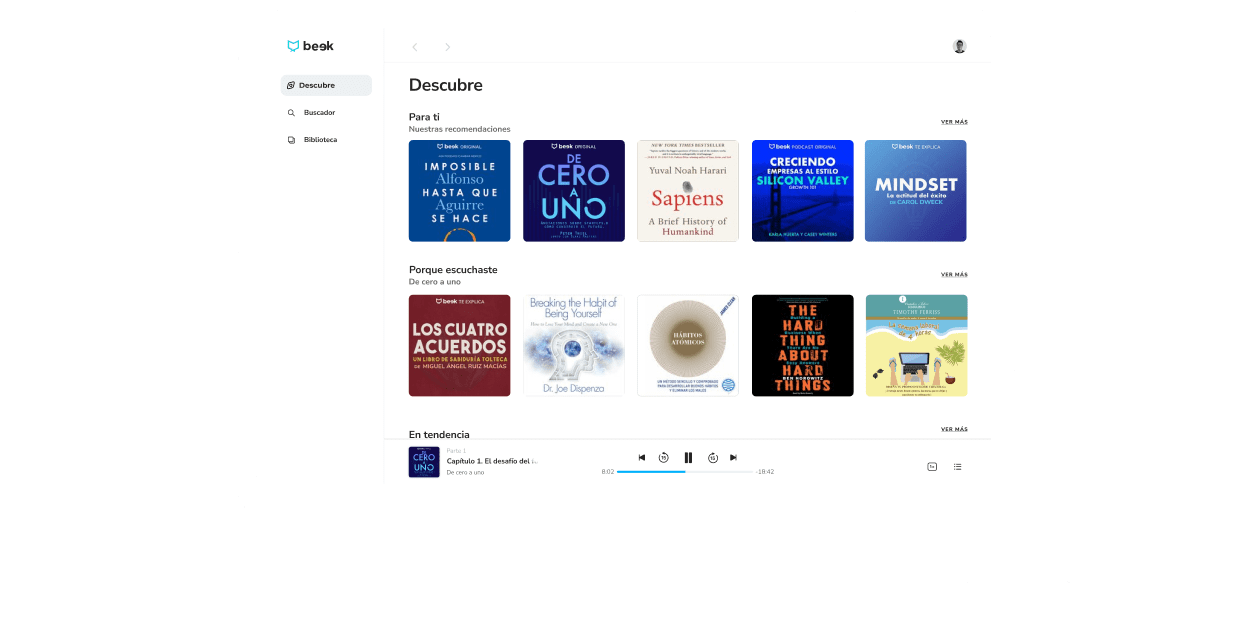
Context
In 2021, Beek gained valuable user insights, with several user emphasizing the importance of having a Desktop version of the application, especially for those who used the app during work hours. This feedback served as a catalyst for our decision to develop a Desktop version. We (CPO, product manager and me) hypothesized that this expansion would not only enhance retention metrics but, by implementing the web-based subscription feature, we’d to achieve cost savings for the company.
Challenge
Creating the web version of the Beek application to increase its usage and, thus, improve user retention.
My Role
Lead user experience design and user interface design. Carry out usability testings along the UX Researcher.
Tools
Figma
Notion
Zoom
Design Process
Research
Interviews were conducted with female and male users ranging in age from 20 to 45 years old, the majority of whom were employed in companies, in order to learn more about their desire to have the desktop version of the application. Additionally, industry research was conducted on how others addressed a similar desire for their users.
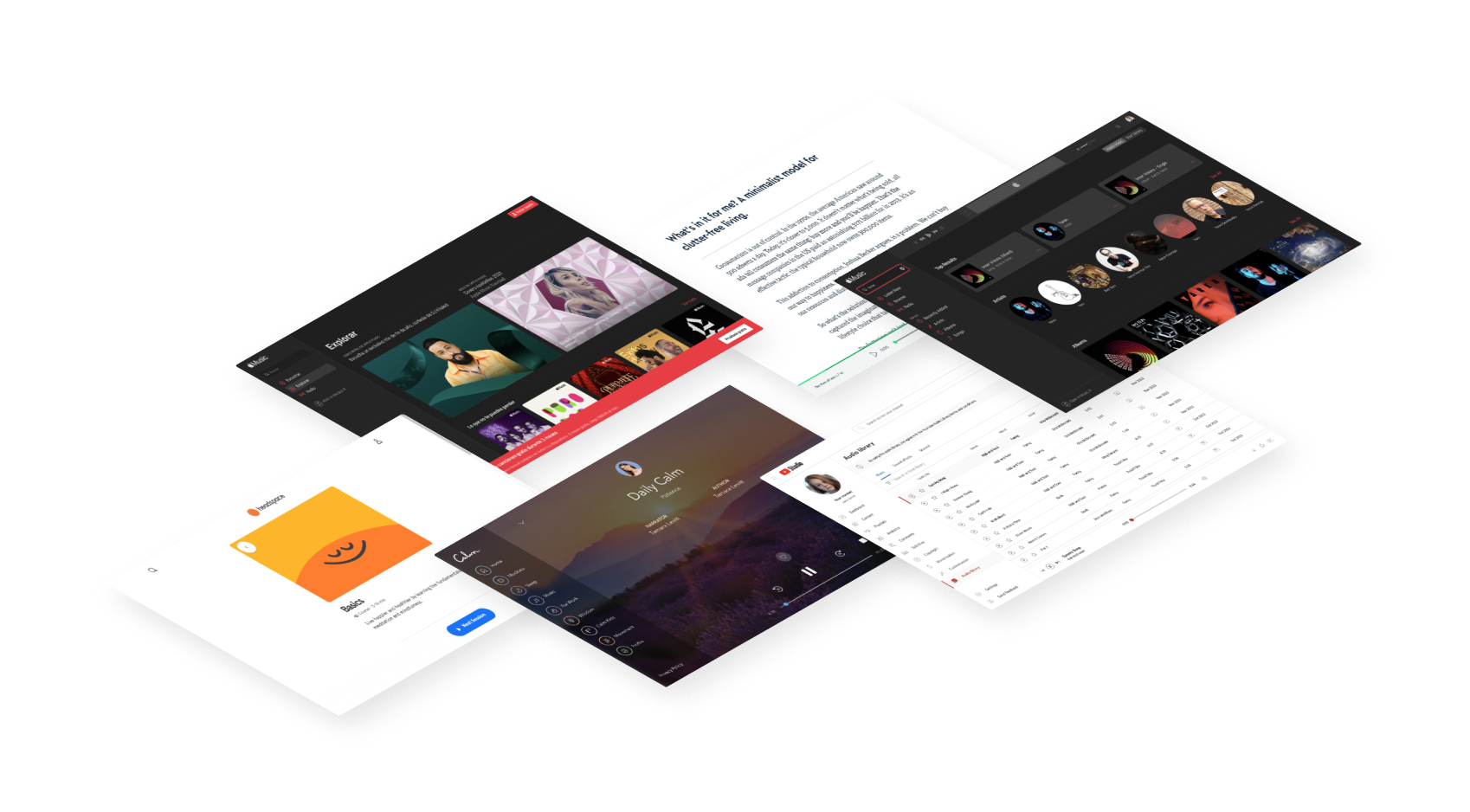
Creating the Web App
I began working on the site's information architecture which. As the application's architecture was already user-friendly, I kept the design similar to ensure ease of use for existing users but also for the new ones. After that, I created low-fidelity wireframes and used them to develop a proposal to present it to the stakeholders.
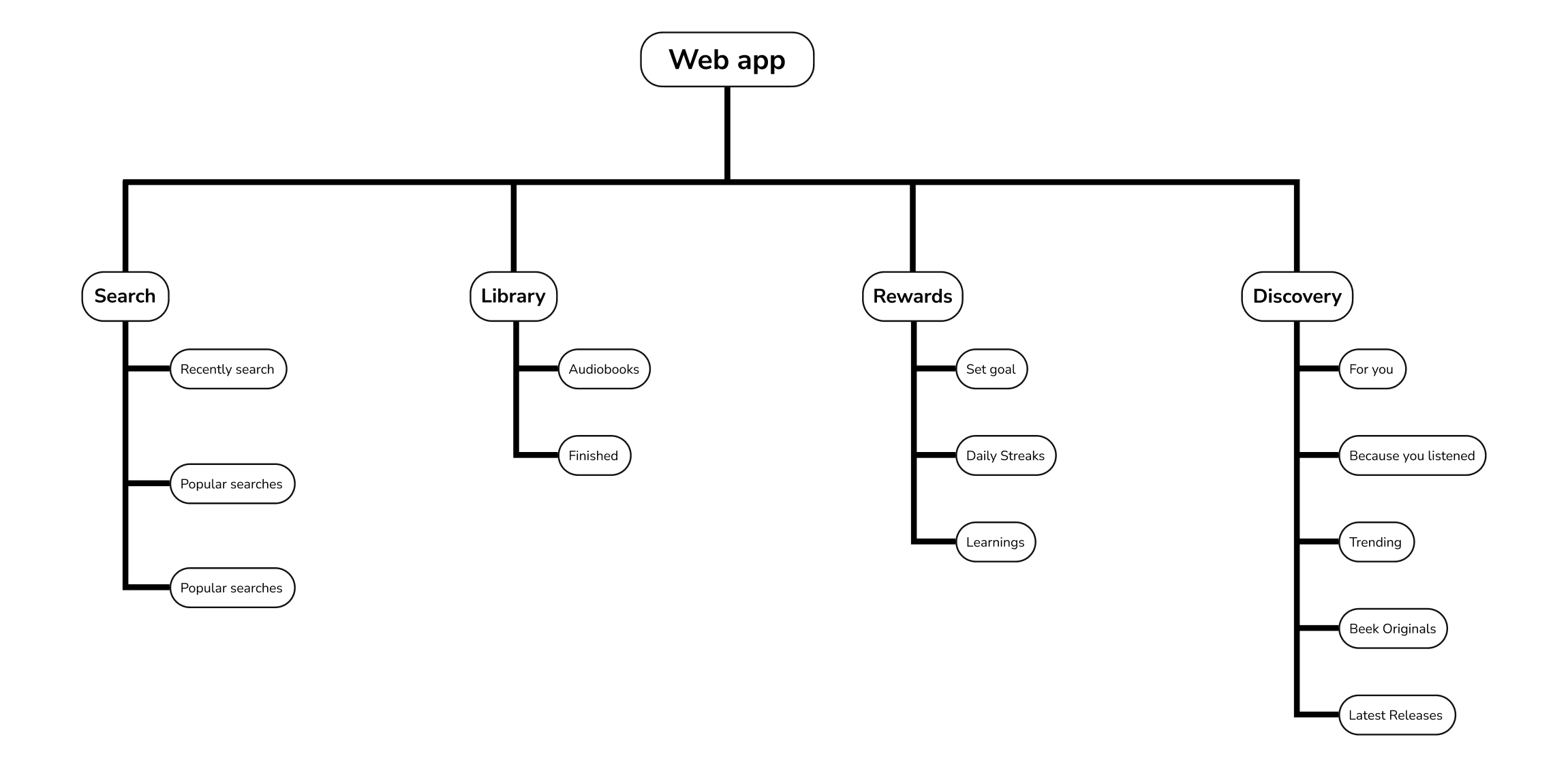
Wireframes
I began working on the site's information architecture which. As the application's architecture was already user-friendly, I kept the design similar to ensure ease of use for existing users but also for the new ones. After that, I created low-fidelity wireframes and used them to develop a proposal to present it to the stakeholders.
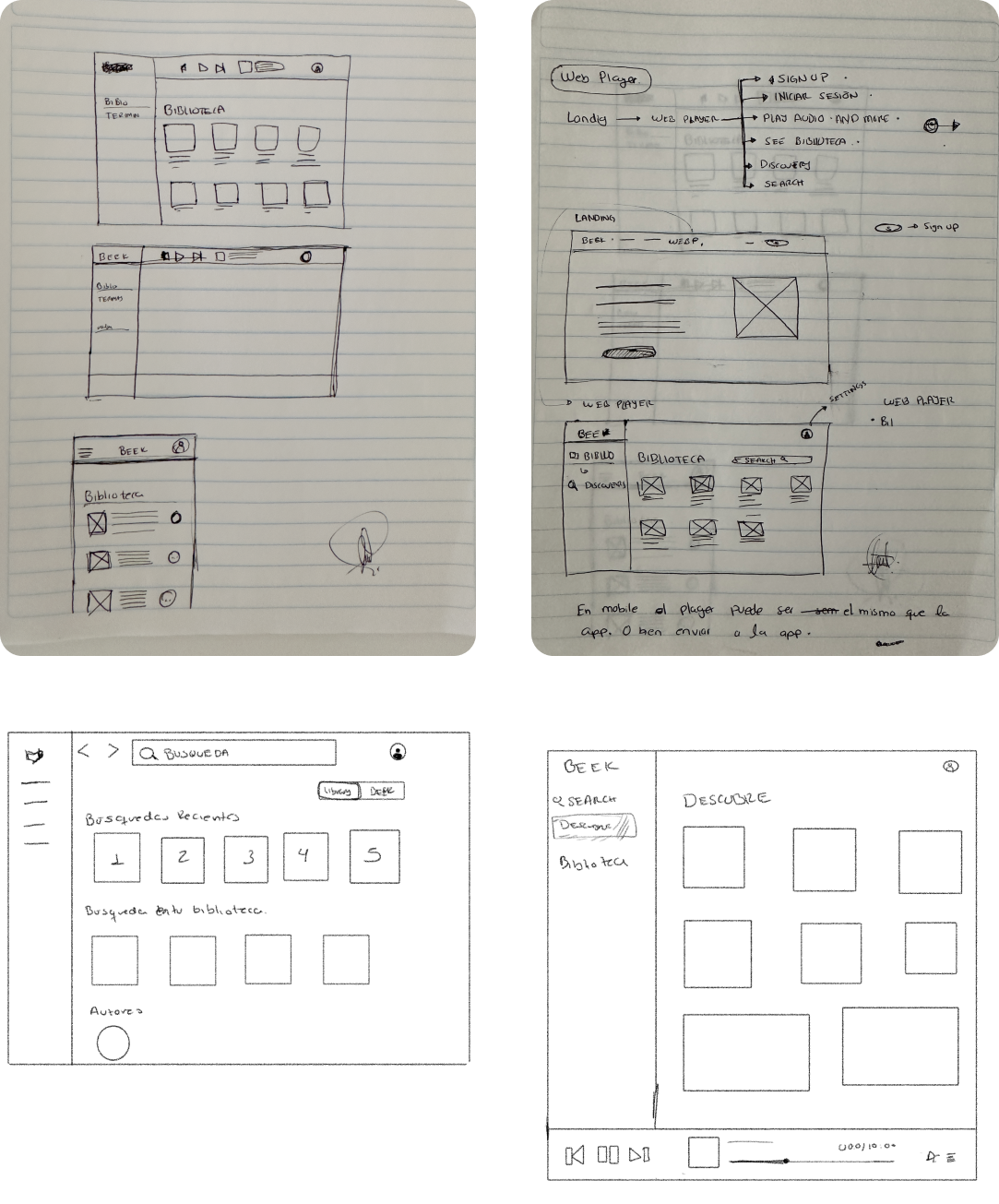
User interface
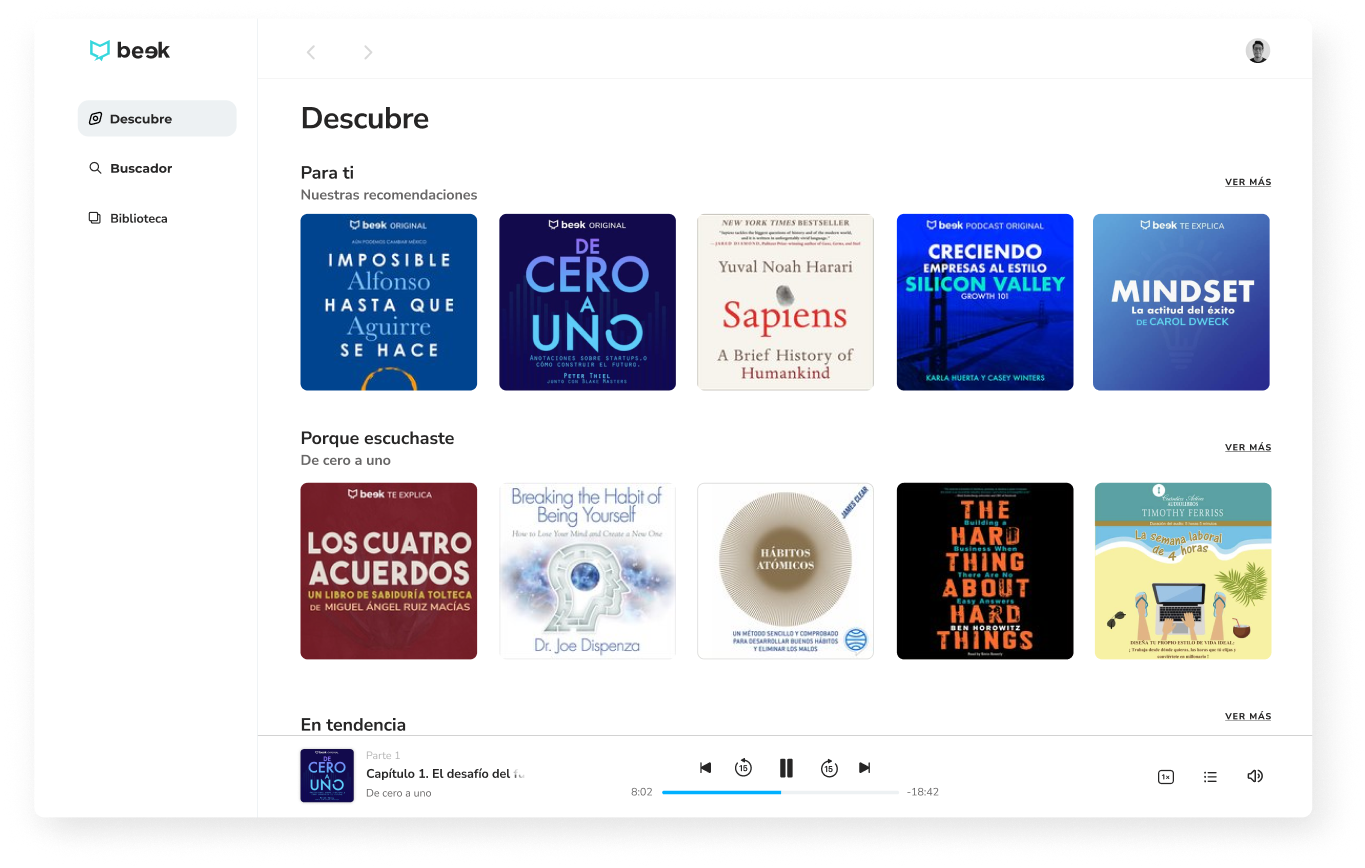
Discovery page
This is the page where users can find new content and content related to what they have been listening to recently.
Web Player
This is the core component of the app, is where user can control all about the content they’re listening to.

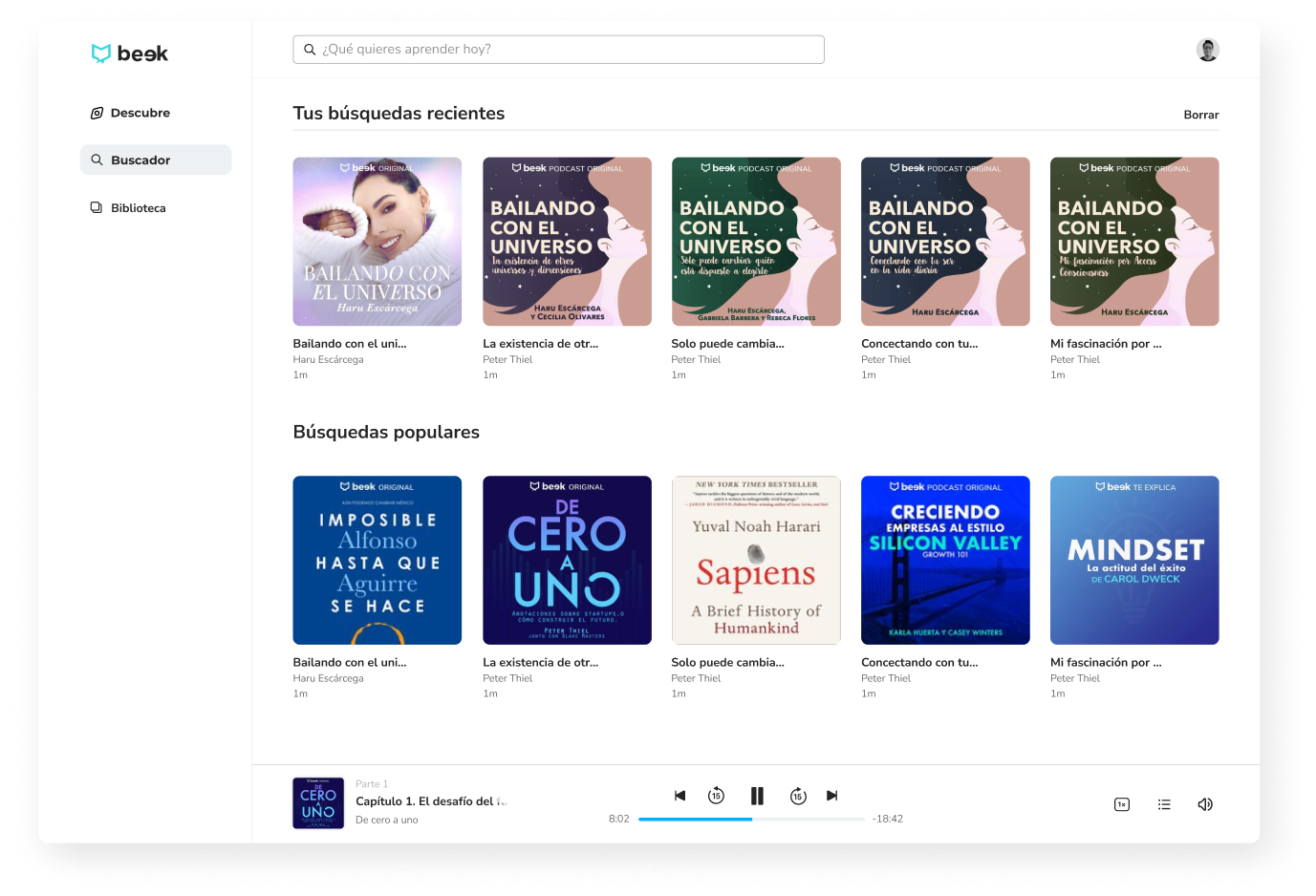
Search
This section is where the users can find their next learning content, recently searches and popular searches.
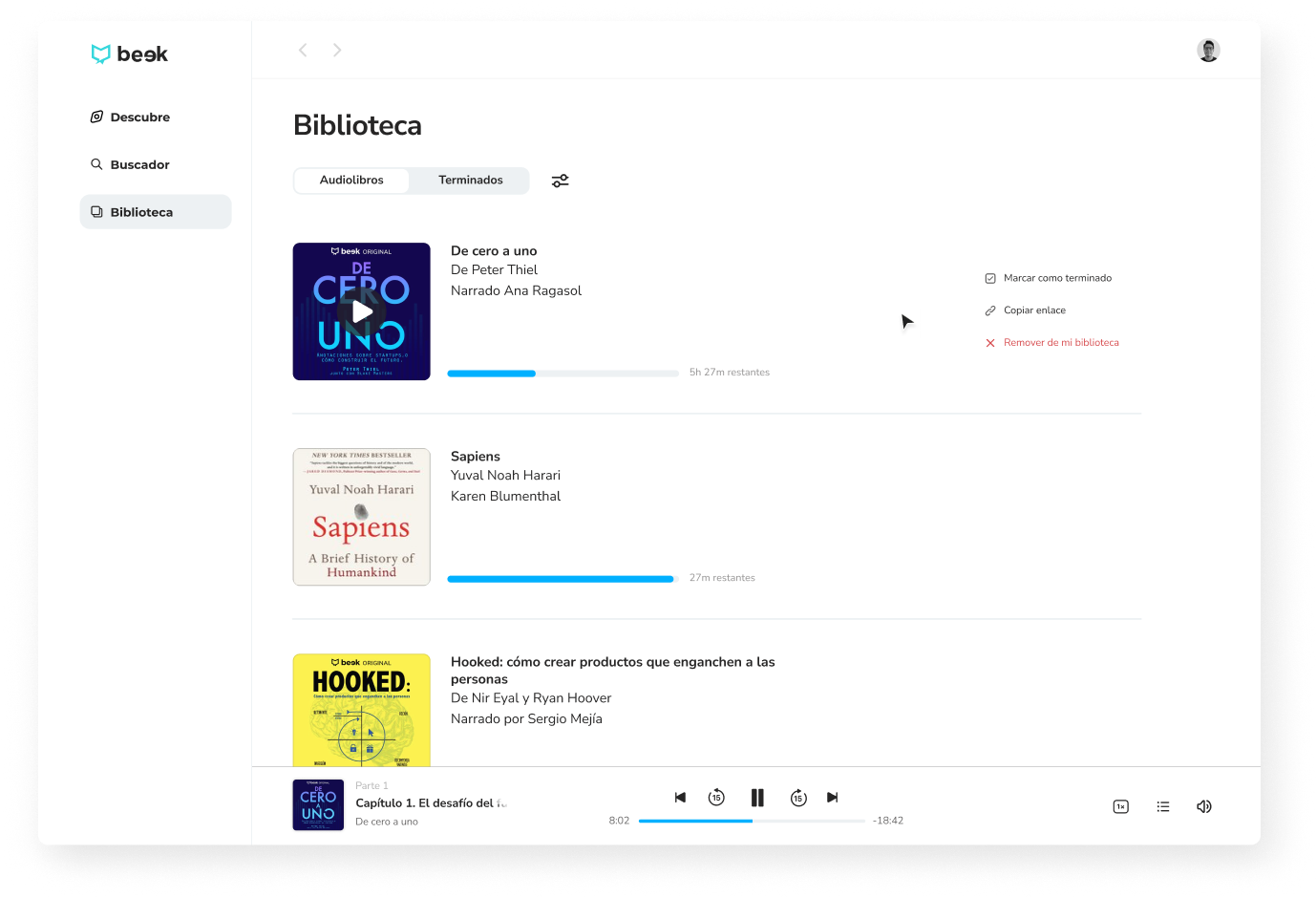
Library
This is where ongoing and completed audiobooks live. Hovering over each content provides access several actions. Hiding certain details optimizes the user experience by reducing cognitive load and streamlining the design.
Once the design was approved, it was tested with different users through usability tests to verify that the interface was clear and accessible. Finally, a beta version of this player was released to certain users, who provided feedback on the experience so that we could iterate and improve it.
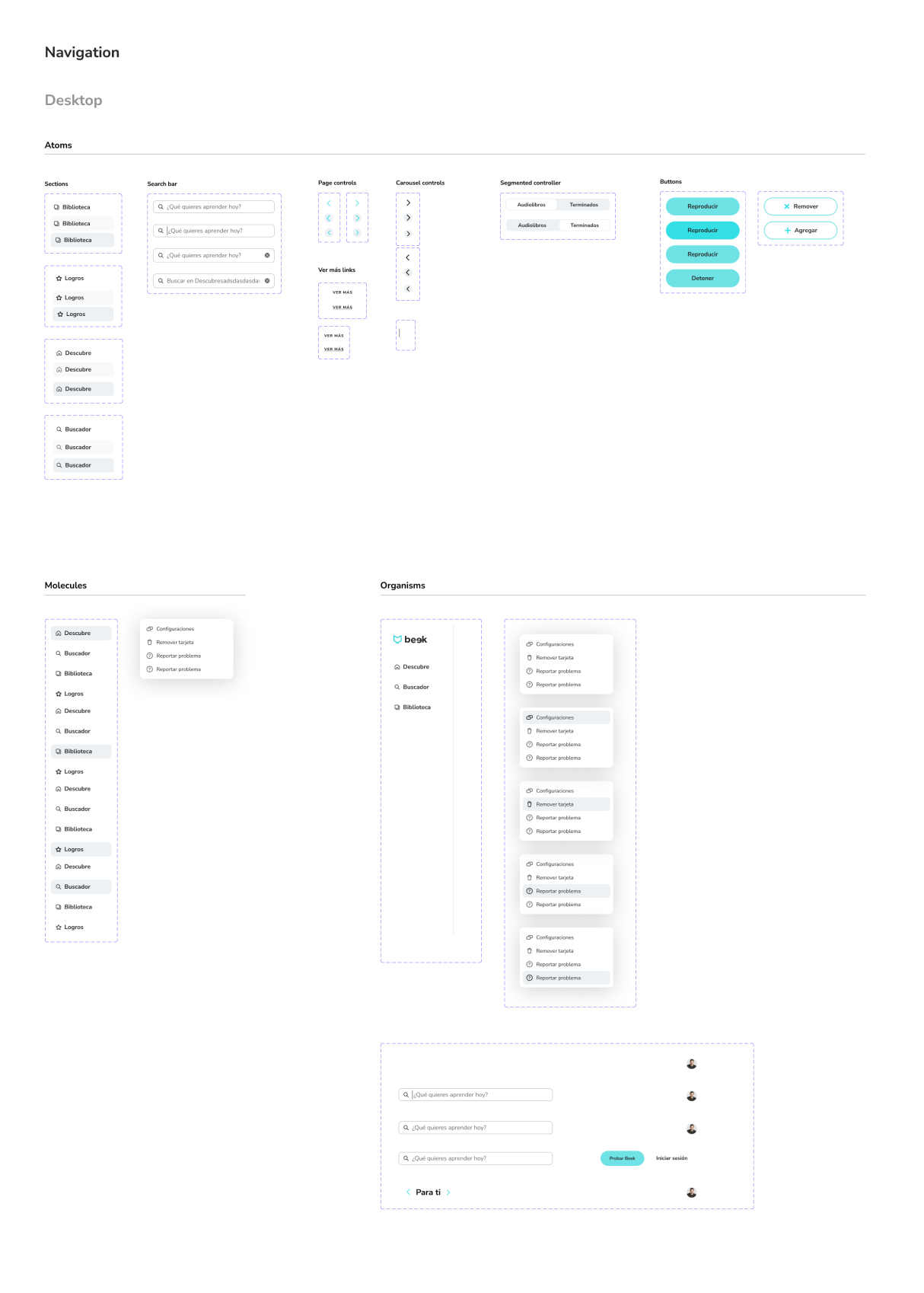
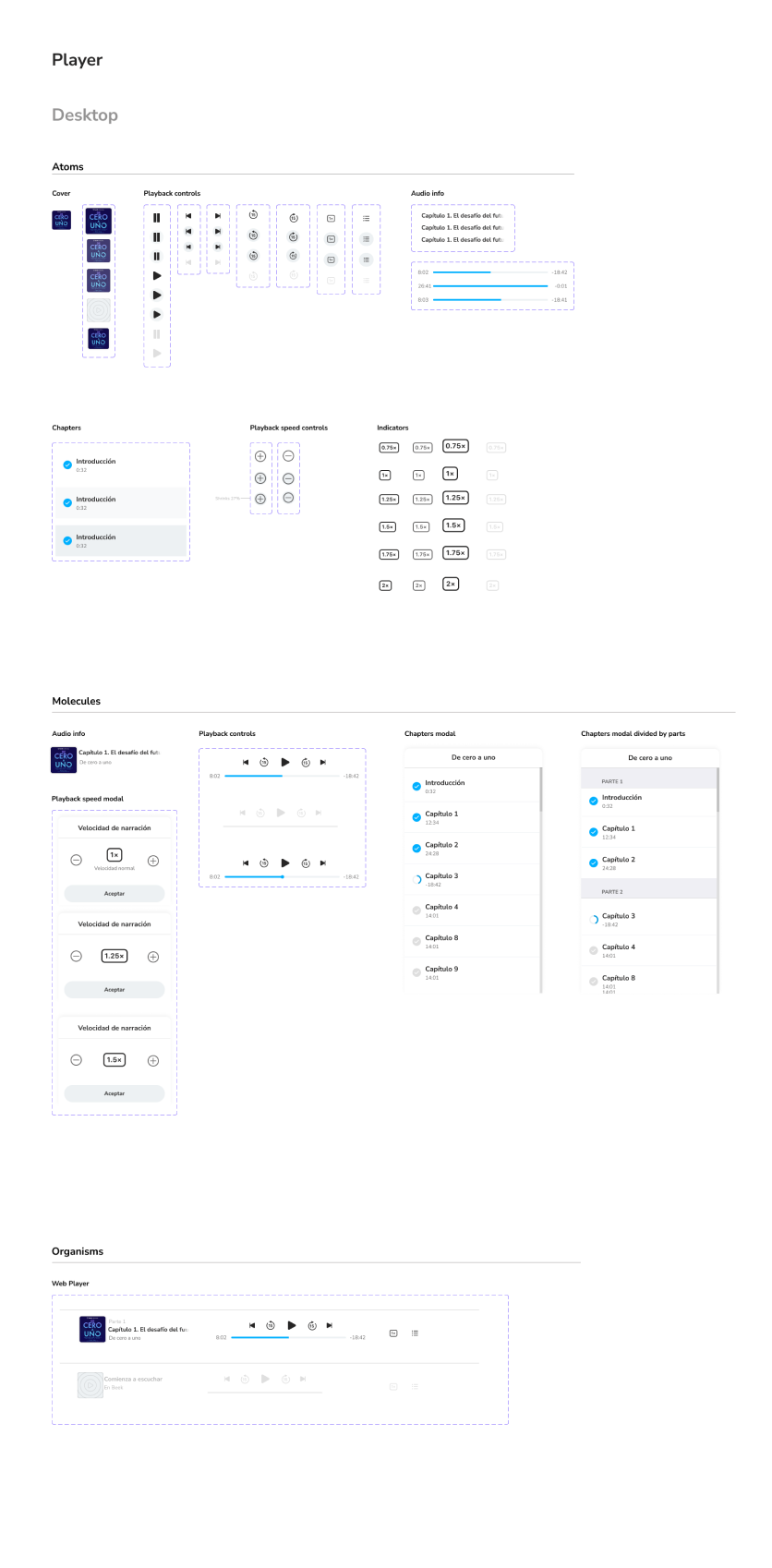
UI Components
Having organized components were a very important part of the proccess, this way developers and other designers had a better understanding of the UI the experience had. As you see an Atomic Design framework it's a great way to see and threat components
Learnings
- Through this project, I gained extensive experience in designing flows, UI components, and collaborating with cross functional teams.
- Documenting design decisions and considering cost implications were key lessons learned.
- Despite time constraints, the beta version received positive user feedback, showcasing the core audio playback and saving flow.
Shout outs!
To Guillermo Sequeira, CPO; the Beek’s engineering team; and my design coworkers, I want to express my gratitude for all the feedback that helped me in the decision-making process and for everything I learned throughout this project.